#ifndef USE_VTK
#include <iostream>
{
std::cout << "This sample requires direct compilation with VTK. Stop" << std::endl;
return 0;
}
#else
#include <iostream>
#include <vtkPoints.h>
#include <vtkTriangle.h>
#include <vtkCellArray.h>
#include <vtkPolyData.h>
#include <vtkPolyDataMapper.h>
#include <vtkIdList.h>
#include <vtkActor.h>
#include <vtkProp.h>
static void help()
{
cout
<< "--------------------------------------------------------------------------" << endl
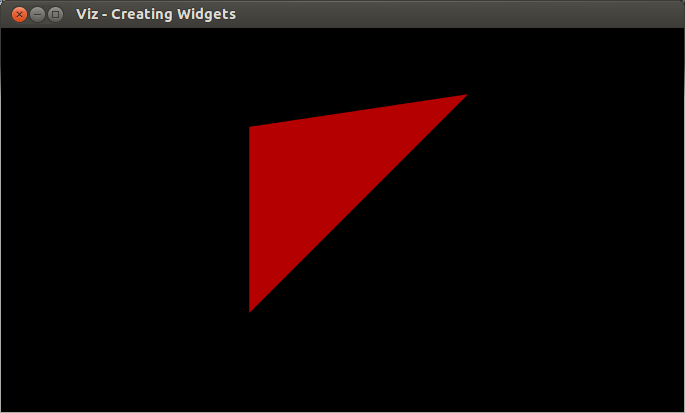
<< "This program shows how to create a custom widget. You can create your own "
<< "widgets by extending Widget2D/Widget3D, and with the help of WidgetAccessor." << endl
<< "Usage:" << endl
<< "./creating_widgets" << endl
<< endl;
}
{
public:
};
{
vtkSmartPointer<vtkPoints> points = vtkSmartPointer<vtkPoints>::New();
points->InsertNextPoint(pt1.
x, pt1.
y, pt1.
z);
points->InsertNextPoint(pt2.
x, pt2.
y, pt2.
z);
points->InsertNextPoint(pt3.
x, pt3.
y, pt3.
z);
vtkSmartPointer<vtkTriangle> triangle = vtkSmartPointer<vtkTriangle>::New();
triangle->GetPointIds()->SetId(0,0);
triangle->GetPointIds()->SetId(1,1);
triangle->GetPointIds()->SetId(2,2);
vtkSmartPointer<vtkCellArray> cells = vtkSmartPointer<vtkCellArray>::New();
cells->InsertNextCell(triangle);
vtkSmartPointer<vtkPolyData> polyData = vtkSmartPointer<vtkPolyData>::New();
polyData->SetPoints(points);
polyData->SetPolys(cells);
vtkSmartPointer<vtkPolyDataMapper> mapper = vtkSmartPointer<vtkPolyDataMapper>::New();
#if VTK_MAJOR_VERSION <= 5
mapper->SetInput(polyData);
#else
mapper->SetInputData(polyData);
#endif
vtkSmartPointer<vtkActor> actor = vtkSmartPointer<vtkActor>::New();
actor->SetMapper(mapper);
viz::WidgetAccessor::setProp(*this, actor);
setColor(color);
}
{
help();
myWindow.showWidget("TRIANGLE", tw);
myWindow.spin();
return 0;
}
#endif
Template class for 3D points specified by its coordinates x, y and z.
Definition types.hpp:255
_Tp z
z coordinate of the 3D point
Definition types.hpp:286
_Tp x
x coordinate of the 3D point
Definition types.hpp:284
_Tp y
y coordinate of the 3D point
Definition types.hpp:285
This class represents color in BGR order.
Definition types.hpp:64
The Viz3d class represents a 3D visualizer window. This class is implicitly shared.
Definition viz3d.hpp:68
int main(int argc, char *argv[])
Definition highgui_qt.cpp:3

 1.12.0