前のチュートリアル: カスタムOCRモデルの実行方法
次のチュートリアル: DNNベースの顔検出と認識
| |
| 原著者 | Wenqing Zhang |
| 互換性 | OpenCV >= 4.5 |
はじめに
このチュートリアルでは、TextRecognitionModelとTextDetectionModelのAPIについて詳しく紹介する。
TextRecognitionModel
現在のバージョンでは、cv::dnn::TextRecognitionModel はCNN+RNN+CTCベースのアルゴリズムのみをサポートしており、CTC向けの貪欲法デコードが提供されている。詳細は原論文を参照のこと。
認識の前に、setVocabulary と setDecodeType を設定する必要がある。
- "CTC-greedy", the output of the text recognition model should be a probability matrix. The shape should be
(T, B, Dim), where
T はシーケンス長である。B はバッチサイズである(推論時は B=1 のみをサポート)。- また
Dim は語彙の長さ+1である(CTCの'Blank'はDimのindex=0にある)。
- "CTC-prefix-beam-search", the output of the text recognition model should be a probability matrix same with "CTC-greedy".
- このアルゴリズムはHannunの論文で提案されている。
setDecodeOptsCTCPrefixBeamSearch は探索ステップにおけるビームサイズの制御に利用できる。- 大きな語彙に対してさらに最適化するため、新しいオプション
vocPruneSize が導入された。これにより、語彙全体を反復処理する代わりに、確率が上位の vocPruneSize 個のトークンのみを処理できる。
cv::dnn::TextRecognitionModel::recognize() はテキスト認識の主要な関数である。
- 入力画像は、切り出されたテキスト画像、または
roiRects を持つ画像である必要がある。
- その他のデコード方法は将来サポートされる可能性がある。
TextDetectionModel
cv::dnn::TextDetectionModel APIはテキスト検出のために次のメソッドを提供する:
現在のバージョンでは、cv::dnn::TextDetectionModel は次のアルゴリズムをサポートしている:
以下に提供される学習済みモデルはDBの派生(変形可能畳み込みなし)であり、その性能は論文のTable.1を参照できる。詳細は公式コードを参照のこと。
より多くのデータで独自のモデルを学習し、ONNX形式に変換できる。これらのAPIへの新しいアルゴリズムの追加を歓迎する。
事前学習済みモデル
TextRecognitionModel
crnn.onnx:
url: https://drive.google.com/uc?export=dowload&id=1ooaLR-rkTl8jdpGy1DoQs0-X0lQsB6Fj
sha: 270d92c9ccb670ada2459a25977e8deeaf8380d3,
alphabet_36.txt: https://drive.google.com/uc?export=dowload&id=1oPOYx5rQRp8L6XQciUwmwhMCfX0KyO4b
parameter setting: -rgb=0;
description: The classification number of this model is 36 (0~9 + a~z).
The training dataset is MJSynth.
crnn_cs.onnx:
url: https://drive.google.com/uc?export=dowload&id=12diBsVJrS9ZEl6BNUiRp9s0xPALBS7kt
sha: a641e9c57a5147546f7a2dbea4fd322b47197cd5
alphabet_94.txt: https://drive.google.com/uc?export=dowload&id=1oKXxXKusquimp7XY1mFvj9nwLzldVgBR
parameter setting: -rgb=1;
description: The classification number of this model is 94 (0~9 + a~z + A~Z + punctuations).
The training datasets are MJsynth and SynthText.
crnn_cs_CN.onnx:
url: https://drive.google.com/uc?export=dowload&id=1is4eYEUKH7HR7Gl37Sw4WPXx6Ir8oQEG
sha: 3940942b85761c7f240494cf662dcbf05dc00d14
alphabet_3944.txt: https://drive.google.com/uc?export=dowload&id=18IZUUdNzJ44heWTndDO6NNfIpJMmN-ul
parameter setting: -rgb=1;
description: The classification number of this model is 3944 (0~9 + a~z + A~Z + Chinese characters + special characters).
The training dataset is ReCTS (https://rrc.cvc.uab.es/?ch=12).
より多くのモデルはこちらで見つけられる。これらはclovaaiから取得したものである。CRNNでさらに多くのモデルを学習し、torch.onnx.export でモデルを変換できる。
TextDetectionModel
- DB_IC15_resnet50.onnx:
url: https://drive.google.com/uc?export=dowload&id=17_ABp79PlFt9yPCxSaarVc_DKTmrSGGf
sha: bef233c28947ef6ec8c663d20a2b326302421fa3
recommended parameter setting: -inputHeight=736, -inputWidth=1280;
description: This model is trained on ICDAR2015, so it can only detect English text instances.
- DB_IC15_resnet18.onnx:
url: https://drive.google.com/uc?export=dowload&id=1vY_KsDZZZb_svd5RT6pjyI8BS1nPbBSX
sha: 19543ce09b2efd35f49705c235cc46d0e22df30b
recommended parameter setting: -inputHeight=736, -inputWidth=1280;
description: This model is trained on ICDAR2015, so it can only detect English text instances.
- DB_TD500_resnet50.onnx:
url: https://drive.google.com/uc?export=dowload&id=19YWhArrNccaoSza0CfkXlA8im4-lAGsR
sha: 1b4dd21a6baa5e3523156776970895bd3db6960a
recommended parameter setting: -inputHeight=736, -inputWidth=736;
description: This model is trained on MSRA-TD500, so it can detect both English and Chinese text instances.
- DB_TD500_resnet18.onnx:
url: https://drive.google.com/uc?export=dowload&id=1sZszH3pEt8hliyBlTmB-iulxHP1dCQWV
sha: 8a3700bdc13e00336a815fc7afff5dcc1ce08546
recommended parameter setting: -inputHeight=736, -inputWidth=736;
description: This model is trained on MSRA-TD500, so it can detect both English and Chinese text instances.
将来、より多くのDBのモデルをこちらで公開する予定である。
- EAST:
Download link: https://www.dropbox.com/s/r2ingd0l3zt8hxs/frozen_east_text_detection.tar.gz?dl=1
This model is based on https://github.com/argman/EAST
テスト用画像
Text Recognition:
url: https://drive.google.com/uc?export=dowload&id=1nMcEy68zDNpIlqAn6xCk_kYcUTIeSOtN
sha: 89205612ce8dd2251effa16609342b69bff67ca3
Text Detection:
url: https://drive.google.com/uc?export=dowload&id=149tAhIcvfCYeyufRoZ9tmc2mZDKE_XrF
sha: ced3c03fb7f8d9608169a913acf7e7b93e07109b
テキスト認識の例
Step1. 語彙とともに画像とモデルを読み込む
int rgb = IMREAD_COLOR;
Mat image = imread("path/to/text_rec_test.png", rgb);
TextRecognitionModel model("path/to/crnn_cs.onnx");
model.setDecodeType("CTC-greedy");
std::ifstream vocFile;
vocFile.open("path/to/alphabet_94.txt");
String vocLine;
std::vector<String> vocabulary;
while (std::getline(vocFile, vocLine)) {
vocabulary.push_back(vocLine);
}
model.setVocabulary(vocabulary);
#define CV_Assert(expr)
Checks a condition at runtime and throws exception if it fails.
Definition exception.hpp:198
Step2. パラメータの設定
double scale = 1.0 / 127.5;
Scalar mean = Scalar(127.5, 127.5, 127.5);
Size inputSize = Size(100, 32);
model.setInputParams(scale, inputSize, mean);
Step3. 推論
std::string recognitionResult = recognizer.recognize(image);
std::cout << "'" << recognitionResult << "'" << std::endl;
入力画像:

Picture example
出力:
テキスト検出の例
Step1. 画像とモデルを読み込む
Mat frame = imread("/path/to/text_det_test.png");
Step2.a パラメータの設定 (DB)
TextDetectionModel_DB model("/path/to/DB_TD500_resnet50.onnx");
float binThresh = 0.3;
float polyThresh = 0.5;
uint maxCandidates = 200;
double unclipRatio = 2.0;
model.setBinaryThreshold(binThresh)
.setPolygonThreshold(polyThresh)
.setMaxCandidates(maxCandidates)
.setUnclipRatio(unclipRatio)
;
double scale = 1.0 / 255.0;
Scalar mean = Scalar(122.67891434, 116.66876762, 104.00698793);
Size inputSize = Size(736, 736);
model.setInputParams(scale, inputSize, mean);
uint32_t uint
Definition interface.h:37
Step2.b パラメータの設定 (EAST)
TextDetectionModel_EAST model("EAST.pb");
float confThreshold = 0.5;
float nmsThreshold = 0.4;
model.setConfidenceThreshold(confThresh)
.setNMSThreshold(nmsThresh)
;
double detScale = 1.0;
Size detInputSize = Size(320, 320);
Scalar detMean = Scalar(123.68, 116.78, 103.94);
bool swapRB = true;
model.setInputParams(detScale, detInputSize, detMean, swapRB);
Step3. 推論
std::vector<std::vector<Point>> detResults;
model.detect(detResults);
polylines(frame, results, true, Scalar(0, 255, 0), 2);
imshow("Text Detection", image);
waitKey();
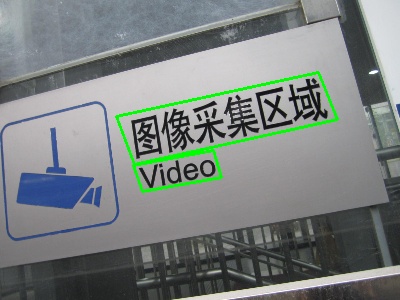
出力:
Picture example
テキストスポッティングの例
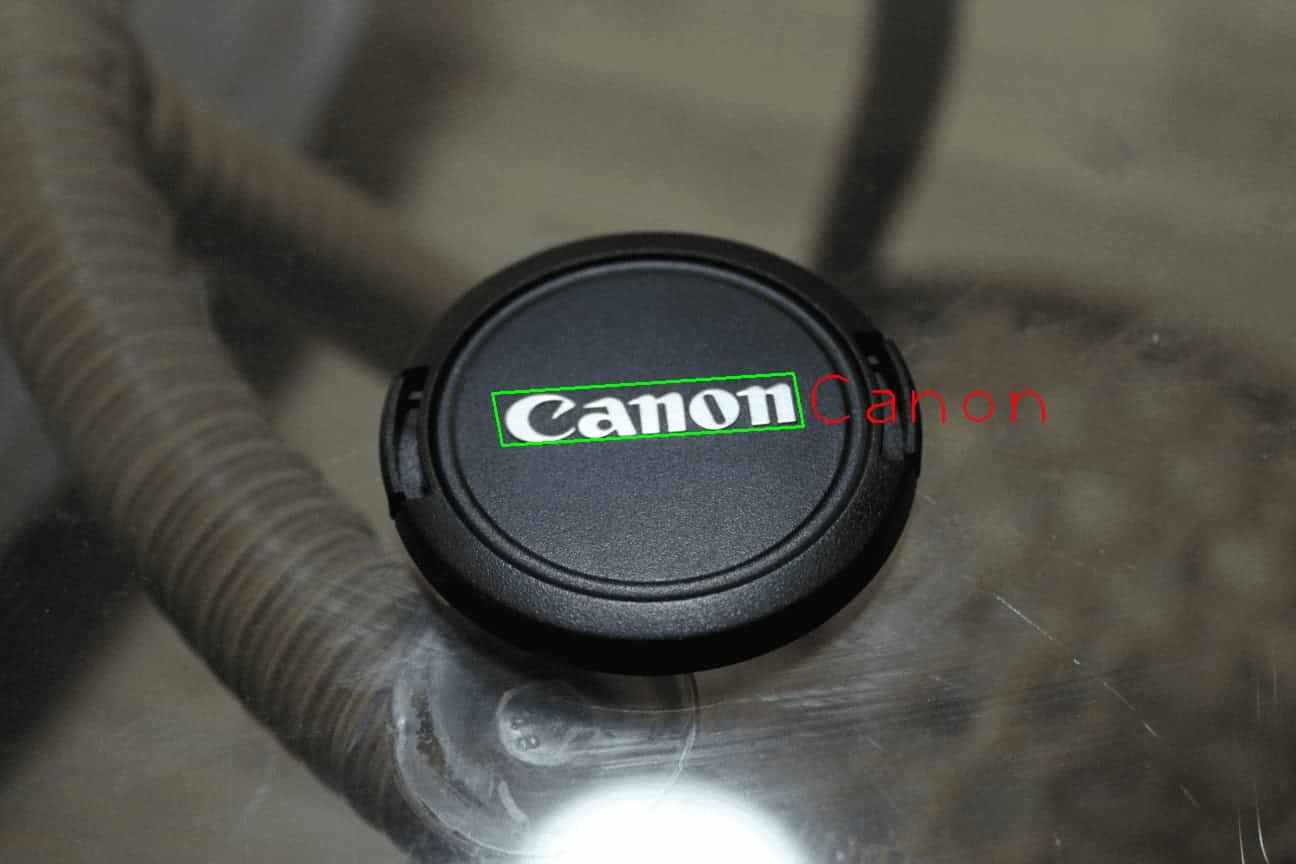
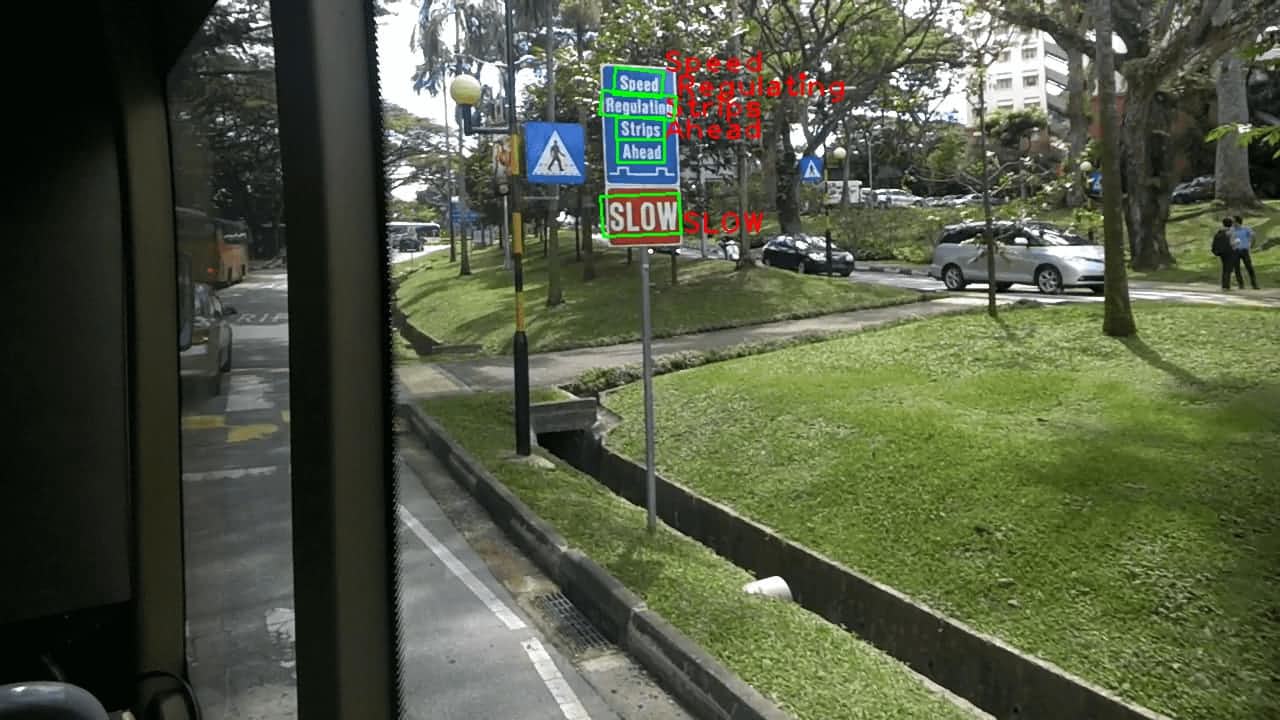
上記の手順に従えば、入力画像の検出結果を簡単に得られる。その後、変換を行い、認識用にテキスト画像を切り出せる。詳細はDetailed Sampleを参照のこと。
Mat cropped;
fourPointsTransform(recInput, vertices, cropped);
String recResult = recognizer.recognize(cropped);
出力例:
Picture example
Picture example
ソースコード
これらのAPIの ソースコード はDNNモジュール内にある。
詳細なサンプル
詳細は次を参照のこと:
画像でテストする
検出モデルは次のコマンドでダウンロードできる:

 1.12.0