import cv2 as cv
import numpy as np
from matplotlib import pyplot as plt
img =
cv.imread(
'messi5.jpg', cv.IMREAD_GRAYSCALE)
assert img is not None, "file could not be read, check with os.path.exists()"
img2 = img.copy()
template =
cv.imread(
'template.jpg', cv.IMREAD_GRAYSCALE)
assert template is not None, "file could not be read, check with os.path.exists()"
w, h = template.shape[::-1]
methods = ['TM_CCOEFF', 'TM_CCOEFF_NORMED', 'TM_CCORR',
'TM_CCORR_NORMED', 'TM_SQDIFF', 'TM_SQDIFF_NORMED']
for meth in methods:
img = img2.copy()
method = getattr(cv, meth)
if method in [cv.TM_SQDIFF, cv.TM_SQDIFF_NORMED]:
top_left = min_loc
else:
top_left = max_loc
bottom_right = (top_left[0] + w, top_left[1] + h)
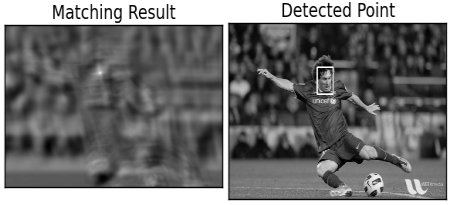
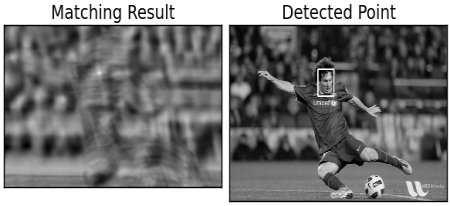
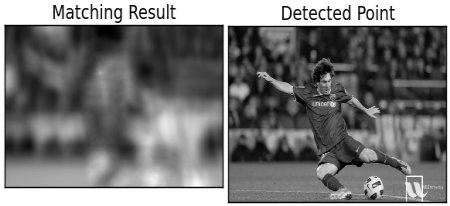
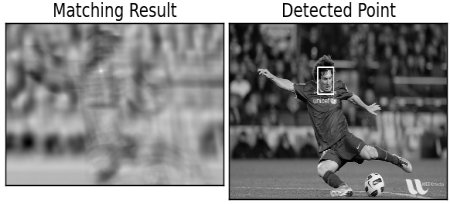
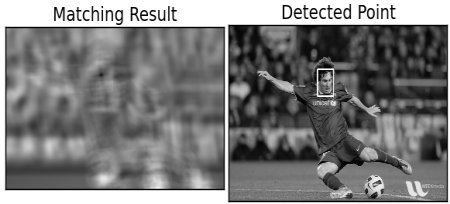
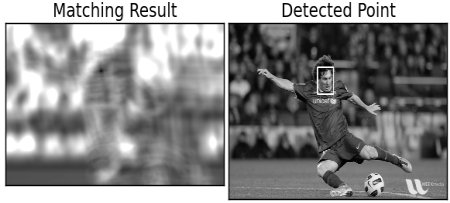
plt.subplot(121),plt.imshow(res,cmap = 'gray')
plt.title('Matching Result'), plt.xticks([]), plt.yticks([])
plt.subplot(122),plt.imshow(img,cmap = 'gray')
plt.title('Detected Point'), plt.xticks([]), plt.yticks([])
plt.suptitle(meth)
plt.show()
void minMaxLoc(InputArray src, double *minVal, double *maxVal=0, Point *minLoc=0, Point *maxLoc=0, InputArray mask=noArray())
Finds the global minimum and maximum in an array.
Mat imread(const String &filename, int flags=IMREAD_COLOR_BGR)
Loads an image from a file.
void rectangle(InputOutputArray img, Point pt1, Point pt2, const Scalar &color, int thickness=1, int lineType=LINE_8, int shift=0)
Draws a simple, thick, or filled up-right rectangle.
void matchTemplate(InputArray image, InputArray templ, OutputArray result, int method, InputArray mask=noArray())
Compares a template against overlapped image regions.
import cv2 as cv
import numpy as np
from matplotlib import pyplot as plt
assert img_rgb is not None, "file could not be read, check with os.path.exists()"
template =
cv.imread(
'mario_coin.png', cv.IMREAD_GRAYSCALE)
assert template is not None, "file could not be read, check with os.path.exists()"
w, h = template.shape[::-1]
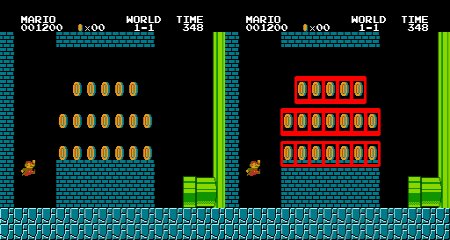
threshold = 0.8
loc = np.where( res >= threshold)
for pt in zip(*loc[::-1]):
cv.rectangle(img_rgb, pt, (pt[0] + w, pt[1] + h), (0,0,255), 2)
bool imwrite(const String &filename, InputArray img, const std::vector< int > ¶ms=std::vector< int >())
Saves an image to a specified file.
void cvtColor(InputArray src, OutputArray dst, int code, int dstCn=0, AlgorithmHint hint=cv::ALGO_HINT_DEFAULT)
Converts an image from one color space to another.


 1.12.0