はじめに
このチュートリアルでは、画像のインペインティングに Rapid Frequency Selective Reconstructiom (FSR) アルゴリズムを使用する方法を示す。
基礎
画像インペインティングとは、画像の損傷した部分や欠損した部分を再構成する処理である。これは、歪んだピクセルを近傍のピクセルに似たピクセルで置き換えることで実現される。インペインティングには、こうした置き換えに対して異なるアプローチを用いるアルゴリズムがいくつか存在する。
そうしたアルゴリズムの1つが Rapid Frequency Selectice Reconstruction (FSR) と呼ばれるものである。FSRは、画像の小さな領域がフーリエ領域でスパースに表現できるという性質を利用して画像信号を再構成する。詳細は [107] と [246] を参照。
FSRは以下の応用分野で利用できる:
- 誤り隠蔽 (インペインティング): サンプリングマスクは、再構成すべき歪んだ入力画像の欠損ピクセルを示す。
- 不規則サンプリング: 良いサンプリングマスクの選び方に関するより詳しい情報は、[116] と [115] を参照してほしい。
例
以下のサンプルコードは、インペインティングにFSRを使用する方法を示す。誤りマスクの非ゼロのピクセルは有効な画像領域を示し、ゼロのピクセルは再構成すべき領域を示す。PaintやGIMPなどのツールを使って任意のマスクを手作業で作成できる。まず無地の白い画像から始め、黒で何らかの歪みを描くとよい。
#include <opencv2/opencv.hpp>
#include <iostream>
int main(
int argc,
char** argv)
{
original_ = imread("images/kodim22.png");
mask_ = imread("images/pattern_random.png", IMREAD_GRAYSCALE);
Mat im_distorted(original_.
size(), original_.
type(), Scalar::all(0));
original_.
copyTo(im_distorted, mask);
xphoto::inpaint(im_distorted, mask, reconstructed, xphoto::INPAINT_FSR_FAST);
imshow("orignal image", original_);
imshow("distorted image", im_distorted);
imshow("reconstructed image", reconstructed);
waitKey();
return 0;
}
Comma-separated Matrix Initializer.
Definition mat.hpp:964
MatSize size
Definition mat.hpp:2511
void copyTo(OutputArray m) const
Copies the matrix to another one.
int type() const
Returns the type of a matrix element.
int main(int argc, char *argv[])
Definition highgui_qt.cpp:3
元画像と歪んだ画像: 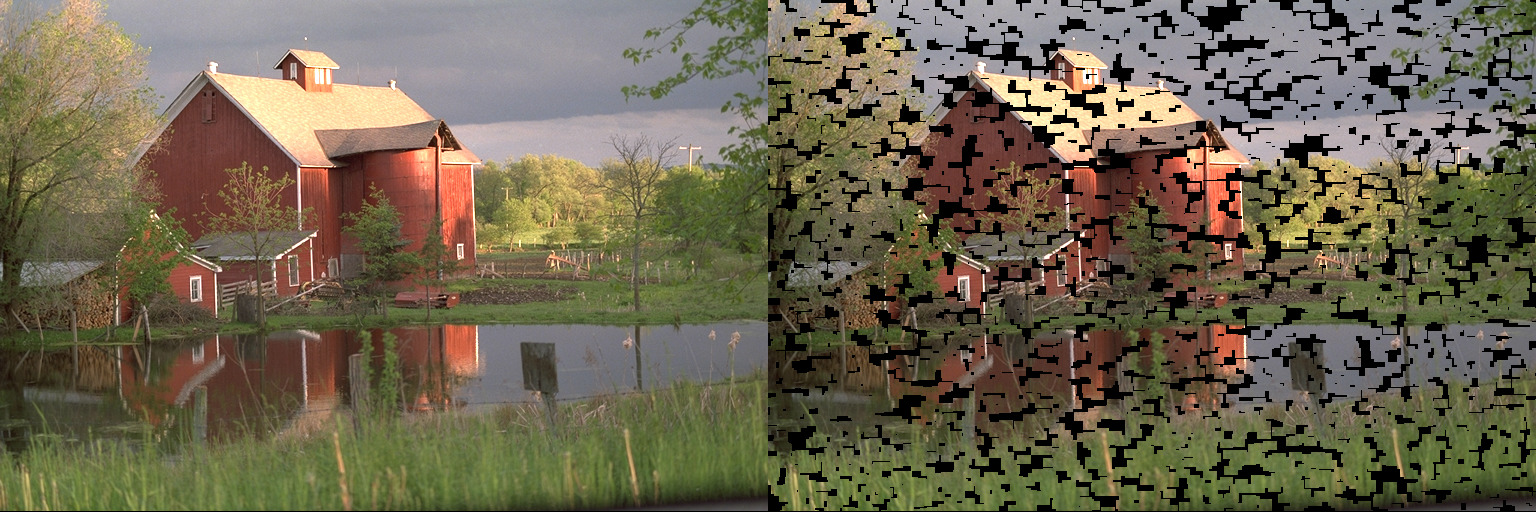
再構成: 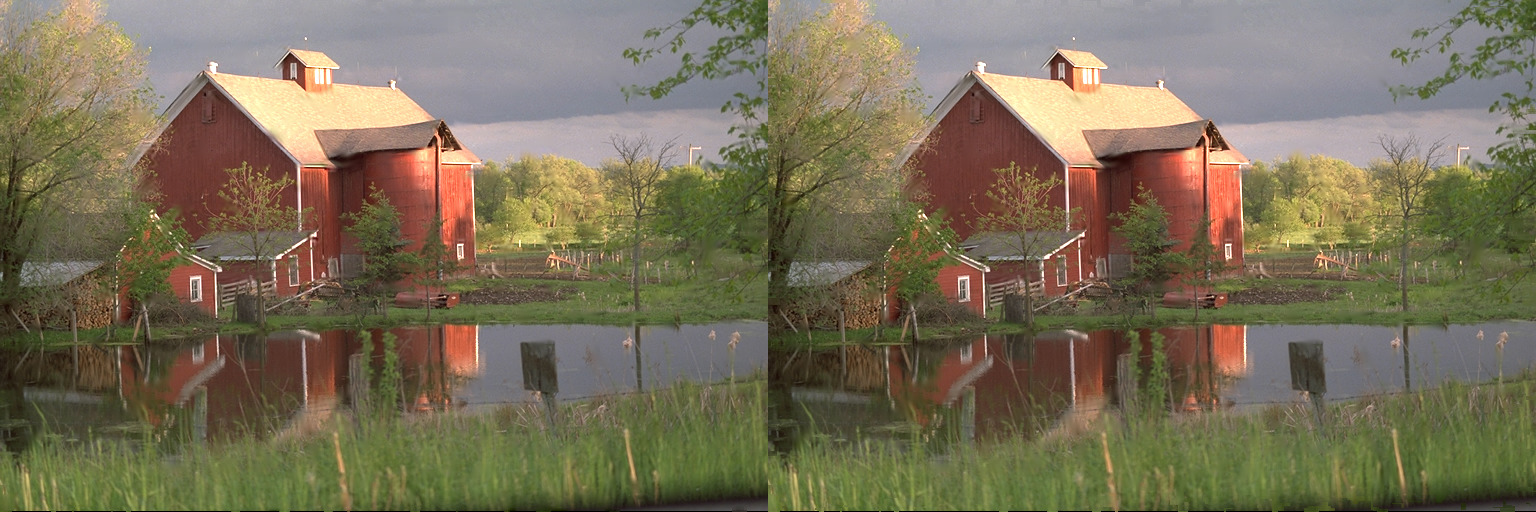
左の画像: 高速品質プロファイル (実行時間8秒)。右の画像: 最高品質プロファイル (1分51秒)。
追加リソース
OpenCVの既存インペインティング手法とFSRの比較

 1.12.0