#include <iostream>
#include <opencv2/opencv_modules.hpp>
#ifdef HAVE_OPENCV_VIZ
#endif
static const char* keys =
{ "{@images_list | | Image list where the captured pattern images are saved}"
"{@calib_param_path | | Calibration_parameters }"
"{@proj_width | | The projector width used to acquire the pattern }"
"{@proj_height | | The projector height used to acquire the pattern}"
"{@white_thresh | | The white threshold height (optional)}"
"{@black_thresh | | The black threshold (optional)}" };
static void help()
{
cout << "\nThis example shows how to use the \"Structured Light module\" to decode a previously acquired gray code pattern, generating a pointcloud"
"\nCall:\n"
"./example_structured_light_pointcloud <images_list> <calib_param_path> <proj_width> <proj_height> <white_thresh> <black_thresh>\n"
<< endl;
}
static bool readStringList( const string& filename, vector<string>& l )
{
l.resize( 0 );
if( !fs.isOpened() )
{
cerr << "failed to open " << filename << endl;
return false;
}
if( n.
type() != FileNode::SEQ )
{
cerr << "cam 1 images are not a sequence! FAIL" << endl;
return false;
}
for( ; it != it_end; ++it )
{
l.push_back( ( string ) *it );
}
n = fs["cam2"];
if( n.
type() != FileNode::SEQ )
{
cerr << "cam 2 images are not a sequence! FAIL" << endl;
return false;
}
for( ; it != it_end; ++it )
{
l.push_back( ( string ) *it );
}
if( l.size() % 2 != 0 )
{
cout << "Error: the image list contains odd (non-even) number of elements\n";
return false;
}
return true;
}
int main(
int argc,
char** argv )
{
params.width = parser.get<
int>( 2 );
params.height = parser.get<
int>( 3 );
if( images_file.empty() || calib_file.empty() ||
params.width < 1 ||
params.height < 1 || argc < 5 || argc > 7 )
{
help();
return -1;
}
size_t white_thresh = 0;
size_t black_thresh = 0;
if( argc == 7 )
{
white_thresh = parser.get<unsigned>( 4 );
black_thresh = parser.get<unsigned>( 5 );
graycode->setWhiteThreshold( white_thresh );
graycode->setBlackThreshold( black_thresh );
}
vector<string> imagelist;
bool ok = readStringList( images_file, imagelist );
if( !ok || imagelist.empty() )
{
cout << "can not open " << images_file << " or the string list is empty" << endl;
help();
return -1;
}
if( !fs.isOpened() )
{
cout << "Failed to open Calibration Data File." << endl;
help();
return -1;
}
Mat cam1intrinsics, cam1distCoeffs, cam2intrinsics, cam2distCoeffs, R, T;
fs["cam1_intrinsics"] >> cam1intrinsics;
fs["cam2_intrinsics"] >> cam2intrinsics;
fs["cam1_distorsion"] >> cam1distCoeffs;
fs["cam2_distorsion"] >> cam2distCoeffs;
fs["R"] >> R;
fs["T"] >> T;
cout << "cam1intrinsics" << endl << cam1intrinsics << endl;
cout << "cam1distCoeffs" << endl << cam1distCoeffs << endl;
cout << "cam2intrinsics" << endl << cam2intrinsics << endl;
cout << "cam2distCoeffs" << endl << cam2distCoeffs << endl;
cout << "T" << endl << T << endl << "R" << endl << R << endl;
if( (!R.data) || (!T.data) || (!cam1intrinsics.
data) || (!cam2intrinsics.
data) || (!cam1distCoeffs.
data) || (!cam2distCoeffs.
data) )
{
cout << "Failed to load cameras calibration parameters" << endl;
help();
return -1;
}
size_t numberOfPatternImages = graycode->getNumberOfPatternImages();
vector<vector<Mat> > captured_pattern;
captured_pattern.resize( 2 );
captured_pattern[0].resize( numberOfPatternImages );
captured_pattern[1].resize( numberOfPatternImages );
Mat color =
imread( imagelist[numberOfPatternImages], IMREAD_COLOR );
cout << "Rectifying images..." << endl;
stereoRectify( cam1intrinsics, cam1distCoeffs, cam2intrinsics, cam2distCoeffs, imagesSize, R, T, R1, R2, P1, P2, Q, 0,
-1, imagesSize, &validRoi[0], &validRoi[1] );
Mat map1x, map1y, map2x, map2y;
for( size_t i = 0; i < numberOfPatternImages; i++ )
{
captured_pattern[0][i] =
imread( imagelist[i], IMREAD_GRAYSCALE );
captured_pattern[1][i] =
imread( imagelist[i + numberOfPatternImages + 2], IMREAD_GRAYSCALE );
if( (!captured_pattern[0][i].data) || (!captured_pattern[1][i].data) )
{
cout << "Empty images" << endl;
help();
return -1;
}
remap( captured_pattern[1][i], captured_pattern[1][i], map1x, map1y, INTER_NEAREST, BORDER_CONSTANT,
Scalar() );
remap( captured_pattern[0][i], captured_pattern[0][i], map2x, map2y, INTER_NEAREST, BORDER_CONSTANT,
Scalar() );
}
cout << "done" << endl;
vector<Mat> blackImages;
vector<Mat> whiteImages;
blackImages.resize( 2 );
whiteImages.resize( 2 );
cvtColor( color, whiteImages[0], COLOR_RGB2GRAY );
whiteImages[1] =
imread( imagelist[2 * numberOfPatternImages + 2], IMREAD_GRAYSCALE );
blackImages[0] =
imread( imagelist[numberOfPatternImages + 1], IMREAD_GRAYSCALE );
blackImages[1] =
imread( imagelist[2 * numberOfPatternImages + 2 + 1], IMREAD_GRAYSCALE );
remap( color, color, map2x, map2y, INTER_NEAREST, BORDER_CONSTANT,
Scalar() );
remap( whiteImages[0], whiteImages[0], map2x, map2y, INTER_NEAREST, BORDER_CONSTANT,
Scalar() );
remap( whiteImages[1], whiteImages[1], map1x, map1y, INTER_NEAREST, BORDER_CONSTANT,
Scalar() );
remap( blackImages[0], blackImages[0], map2x, map2y, INTER_NEAREST, BORDER_CONSTANT,
Scalar() );
remap( blackImages[1], blackImages[1], map1x, map1y, INTER_NEAREST, BORDER_CONSTANT,
Scalar() );
cout << endl << "Decoding pattern ..." << endl;
bool decoded = graycode->decode( captured_pattern, disparityMap, blackImages, whiteImages,
structured_light::DECODE_3D_UNDERWORLD );
if( decoded )
{
cout << endl << "pattern decoded" << endl;
double min;
double max;
Mat cm_disp, scaledDisparityMap;
cout << "disp min " << min << endl << "disp max " << max << endl;
resize( cm_disp, cm_disp,
Size( 640, 480 ), 0, 0, INTER_LINEAR_EXACT );
imshow(
"cm disparity m", cm_disp );
Mat dst, thresholded_disp;
threshold( scaledDisparityMap, thresholded_disp, 0, 255, THRESH_OTSU + THRESH_BINARY );
resize( thresholded_disp, dst,
Size( 640, 480 ), 0, 0, INTER_LINEAR_EXACT );
imshow(
"threshold disp otsu", dst );
#ifdef HAVE_OPENCV_VIZ
Mat pointcloud_tresh, color_tresh;
pointcloud.
copyTo( pointcloud_tresh, thresholded_disp );
color.
copyTo( color_tresh, thresholded_disp );
myWindow.setBackgroundMeshLab();
myWindow.showWidget(
"pointcloud",
viz::WCloud( pointcloud_tresh, color_tresh ) );
myWindow.showWidget(
"text2d",
viz::WText(
"Point cloud",
Point(20, 20), 20, viz::Color::green() ) );
myWindow.spin();
#endif
}
return 0;
}
Designed for command line parsing.
Definition utility.hpp:890
used to iterate through sequences and mappings.
Definition persistence.hpp:595
File Storage Node class.
Definition persistence.hpp:441
FileNodeIterator begin() const
returns iterator pointing to the first node element
FileNodeIterator end() const
returns iterator pointing to the element following the last node element
int type() const
Returns type of the node.
XML/YAML/JSON file storage class that encapsulates all the information necessary for writing or readi...
Definition persistence.hpp:261
n-dimensional dense array class
Definition mat.hpp:840
MatSize size
Definition mat.hpp:2226
void copyTo(OutputArray m) const
Copies the matrix to another one.
uchar * data
pointer to the data
Definition mat.hpp:2206
void convertTo(OutputArray m, int rtype, double alpha=1, double beta=0) const
Converts an array to another data type with optional scaling.
Template class for 2D rectangles.
Definition types.hpp:444
Template class for specifying the size of an image or rectangle.
Definition types.hpp:335
The Viz3d class represents a 3D visualizer window. This class is implicitly shared.
Definition viz3d.hpp:68
Clouds.
Definition widgets.hpp:681
Compound widgets.
Definition widgets.hpp:514
Text and image widgets.
Definition widgets.hpp:408
void reprojectImageTo3D(InputArray disparity, OutputArray _3dImage, InputArray Q, bool handleMissingValues=false, int ddepth=-1)
Reprojects a disparity image to 3D space.
void stereoRectify(InputArray cameraMatrix1, InputArray distCoeffs1, InputArray cameraMatrix2, InputArray distCoeffs2, Size imageSize, InputArray R, InputArray T, OutputArray R1, OutputArray R2, OutputArray P1, OutputArray P2, OutputArray Q, int flags=CALIB_ZERO_DISPARITY, double alpha=-1, Size newImageSize=Size(), Rect *validPixROI1=0, Rect *validPixROI2=0)
Computes rectification transforms for each head of a calibrated stereo camera.
void initUndistortRectifyMap(InputArray cameraMatrix, InputArray distCoeffs, InputArray R, InputArray newCameraMatrix, Size size, int m1type, OutputArray map1, OutputArray map2)
Computes the undistortion and rectification transformation map.
void convertScaleAbs(InputArray src, OutputArray dst, double alpha=1, double beta=0)
Scales, calculates absolute values, and converts the result to 8-bit.
void minMaxIdx(InputArray src, double *minVal, double *maxVal=0, int *minIdx=0, int *maxIdx=0, InputArray mask=noArray())
Finds the global minimum and maximum in an array.
std::string String
Definition cvstd.hpp:151
std::shared_ptr< _Tp > Ptr
Definition cvstd_wrapper.hpp:23
#define CV_32FC1
Definition interface.h:118
void imshow(const String &winname, InputArray mat)
Displays an image in the specified window.
int waitKey(int delay=0)
Waits for a pressed key.
Mat imread(const String &filename, int flags=IMREAD_COLOR_BGR)
Loads an image from a file.
void cvtColor(InputArray src, OutputArray dst, int code, int dstCn=0, AlgorithmHint hint=cv::ALGO_HINT_DEFAULT)
Converts an image from one color space to another.
void applyColorMap(InputArray src, OutputArray dst, int colormap)
Applies a GNU Octave/MATLAB equivalent colormap on a given image.
double threshold(InputArray src, OutputArray dst, double thresh, double maxval, int type)
Applies a fixed-level threshold to each array element.
int main(int argc, char *argv[])
Definition highgui_qt.cpp:3
PyParams params(const std::string &tag, const std::string &model, const std::string &weights, const std::string &device)
Parameters of StructuredLightPattern constructor.
Definition graycodepattern.hpp:77
まず初めに、必要な引数をプログラムに渡す必要がある。1 つ目は、以前に取得したパターン画像の名前リストで、以下のように構成された .yaml ファイルに格納されている:
例えば、このチュートリアルで使用したデータセットは、解像度 1280x800 のプロジェクタを使用して取得されたものであり、42 枚のパターン画像 (番号 1 から 42 まで) + 1 枚の白 (番号 43) と 1 枚の黒 (番号 44) が、2 台のカメラの両方で撮影された。
次に、別の .yml ファイルに格納されたカメラのキャリブレーション引数を、パターンの投影に使用したプロジェクタの幅と高さ、および、省略可能だが白と黒のしきい値とともに、チュートリアルプログラムに渡す必要がある。
白と黒のしきい値が引数として渡された場合 (これらのしきい値はデコードされるピクセル数に影響する)、その値を設定できる。そうでなければ、アルゴリズムはデフォルト値を使用する。
強調しておくべき重要な点として、パターン画像、白、黒のすべての画像は、グレースケール画像として読み込み、decode メソッドに渡す前にレクティファイ (平行化) しておく必要がある:
cout << "Rectifying images..." << endl;
stereoRectify( cam1intrinsics, cam1distCoeffs, cam2intrinsics, cam2distCoeffs, imagesSize, R, T, R1, R2, P1, P2, Q, 0,
-1, imagesSize, &validRoi[0], &validRoi[1] );
Mat map1x, map1y, map2x, map2y;
initUndistortRectifyMap( cam1intrinsics, cam1distCoeffs, R1, P1, imagesSize,
CV_32FC1, map1x, map1y );
initUndistortRectifyMap( cam2intrinsics, cam2distCoeffs, R2, P2, imagesSize,
CV_32FC1, map2x, map2y );
........
for( size_t i = 0; i < numberOfPatternImages; i++ )
{
........
remap( captured_pattern[1][i], captured_pattern[1][i], map1x, map1y, INTER_NEAREST, BORDER_CONSTANT,
Scalar() );
remap( captured_pattern[0][i], captured_pattern[0][i], map2x, map2y, INTER_NEAREST, BORDER_CONSTANT,
Scalar() );
}
........
remap( color, color, map2x, map2y, INTER_NEAREST, BORDER_CONSTANT,
Scalar() );
remap( whiteImages[0], whiteImages[0], map2x, map2y, INTER_NEAREST, BORDER_CONSTANT,
Scalar() );
remap( whiteImages[1], whiteImages[1], map1x, map1y, INTER_NEAREST, BORDER_CONSTANT,
Scalar() );
remap( blackImages[0], blackImages[0], map2x, map2y, INTER_NEAREST, BORDER_CONSTANT,
Scalar() );
remap( blackImages[1], blackImages[1], map1x, map1y, INTER_NEAREST, BORDER_CONSTANT,
Scalar() );
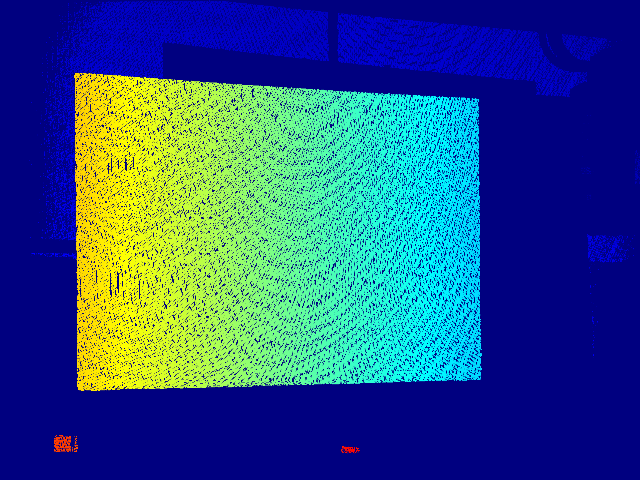
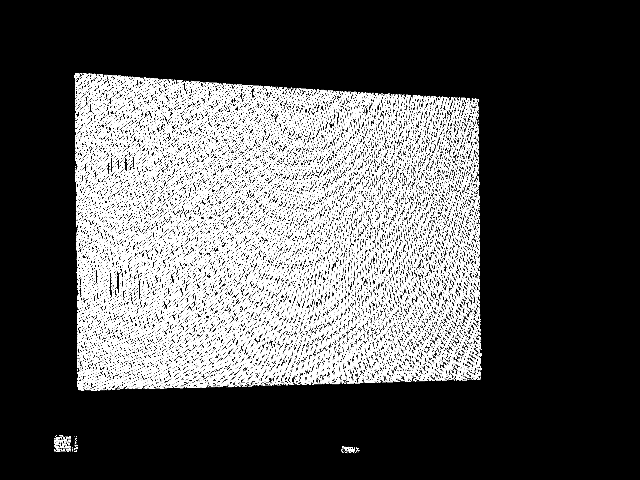
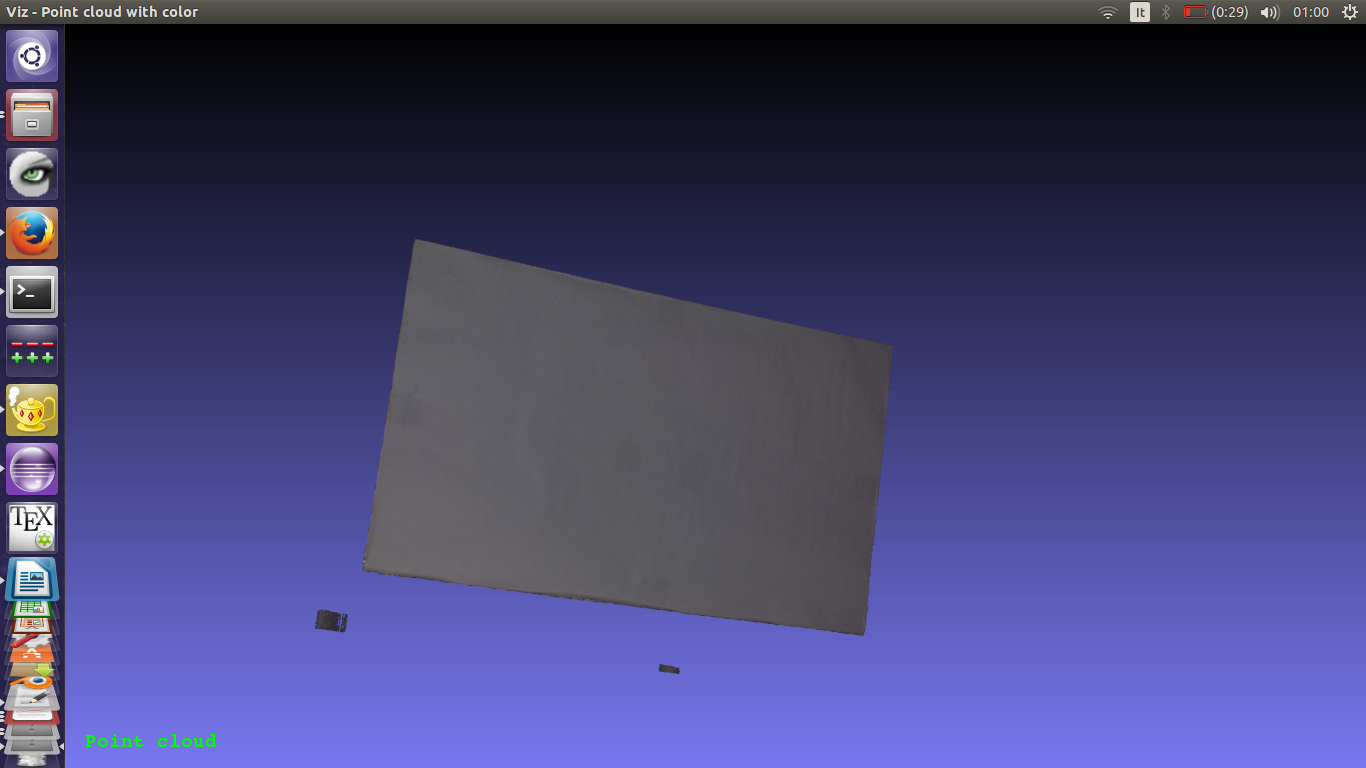
この時点で、reprojectImageTo3D メソッドを使用して点群を生成できる。計算された視差を CV_32FC1 の Mat に変換するように注意すること (decode メソッドは CV_64FC1 の視差マップを計算する):

 1.12.0